
Step counter
A step counter that uses what you already have
WakaBuddy counts your steps with the sensor already in your phone, or takes them from the watch or band you wear. No extra device, no fiddly setup: connect once and today's steps are there.
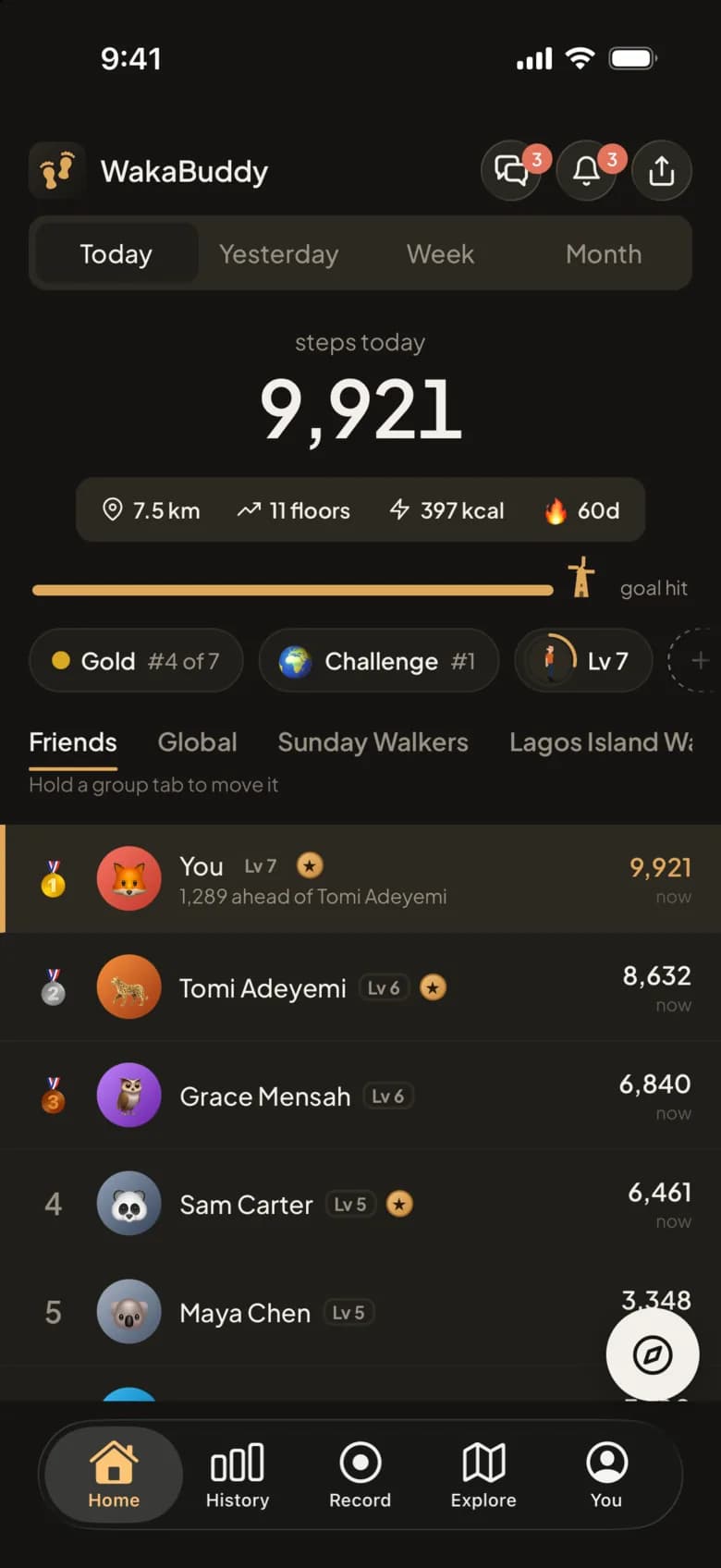
Counted by your phone or your watch
On Android, WakaBuddy listens to the phone's own step sensor and reads Health Connect, where watches and other apps share their steps. On iPhone it uses the phone's motion sensor and Apple Health.
When more than one source reports steps for the same few minutes, WakaBuddy takes the highest count for that stretch instead of adding them together. Your phone and your watch don't double your day.
- Phones: any Android phone with a step sensor, from Samsung and Pixel to Tecno, Infinix and Xiaomi.
- Watches and bands that share with Health Connect or Apple Health, including Fitbit, Garmin, Amazfit, Mi Band and Pixel Watch.
- Samsung Galaxy Watch steps come through a direct Samsung Health connection.
A goal that fits you
Your daily goal starts at 7,500 steps and you can change it any time. Weekly and monthly goals follow from it, or you can set your own. Home shows how far through the day's goal you are, with the distance, calories and your streak.
Your streak grows with every day you walk. On Plus, a weekly streak shield covers a day you miss, so one bad day doesn't undo a month.
Your history, laid out
History shows each day as a ring that fills towards your goal, each week as bars and each month as a ring for every day, with your streak calendar underneath. You > Analytics adds distance, floors, calories, and the heart rate and sleep your watch shares.
Steps that count for something
The same steps put you on a board with your friends, move you up your weekly league, count in your group's challenges and keep your buddy streaks going. That's the part a plain pedometer can't do.
Phones that close apps in the background
Some phone makers, including Xiaomi, Huawei, OnePlus, OPPO, realme, vivo and Samsung, close apps in the background whatever Android's battery setting says, and steps can go uncounted until you open the app. WakaBuddy spots these phones and shows you where their own settings are, so counting carries on.
Free and Plus
Free
- Step counting from your phone or watch
- Daily, weekly and monthly goals
- Streaks
- History for the last 30 days
- Analytics for 7 or 30 days
WakaBuddy Plus 7-day free trial
- All your history, with export
- A streak shield every week
- Analytics for 90 days and the year, with comparisons
- A heatmap of every walk
Questions people ask
Do I need a smartwatch to count steps?
No. Your phone counts steps on its own and that's enough. A watch or band adds steps from when your phone is on the desk, plus heart rate and sleep if it shares them.
Does the step counter drain the battery?
Barely. WakaBuddy reads the phone's step sensor and the totals your watch already collects. GPS is only on while you record a walk.
Why is my step count different from another app?
Apps count from different sources and at different times. WakaBuddy takes the highest count from your phone and watch for each stretch of the day, so it can be a little higher or lower than an app that reads only one of them.
Is the step counter free?
Yes. Counting steps, goals, streaks, friends' boards, groups and challenges are free. WakaBuddy Plus adds full history, the streak shield and more.
Related features
Walking guides
Steps in a km
Most adults take about 1,300 to 1,600 steps to walk a kilometre, or 2,000 to 2,600 steps to walk a mile.
Steps a day
For most adults, 7,000 to 10,000 steps a day is a sound target.
Walking for weight loss
Walking can help you lose weight, but on its own it burns a modest number of calories: roughly 150 to 200 for a 30-minute brisk walk.
Start walking every day
Start with 10 minutes a day at an easy pace and add about 5 minutes each week until you reach 30 minutes, most of it brisk.
Walk more, with the people you know.
Free to download. Connect your health app and today's steps are already counted.